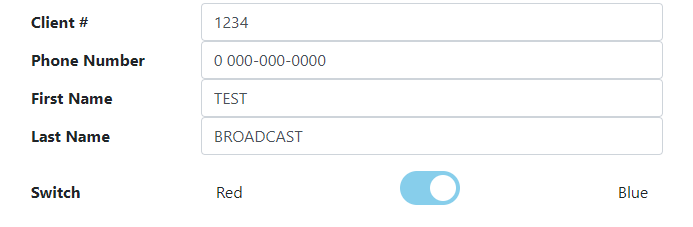
During install verification you can send a red or a blue bubble to a client to confirm the connection. Flip the switch to toggle between them.
Spoofing a call
You can do more than send an empty bubble. You can spoof a real call:
- Copy the client's internal identifier.
- Go to Call History.
- Find the internal identifier there. The page lists that client's calls.
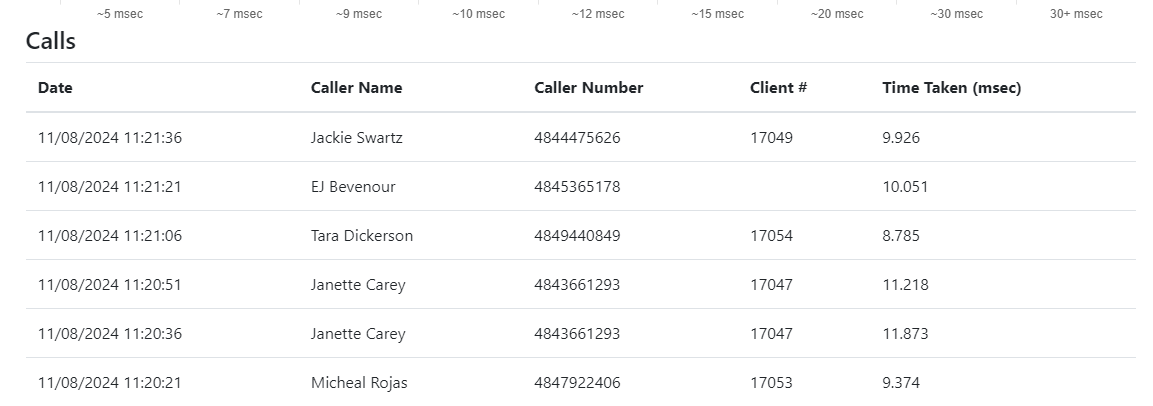
- Copy a client #.
- Go back to Test Broadcast.
- Paste the number into Client #. You can change the phone number and the name too.
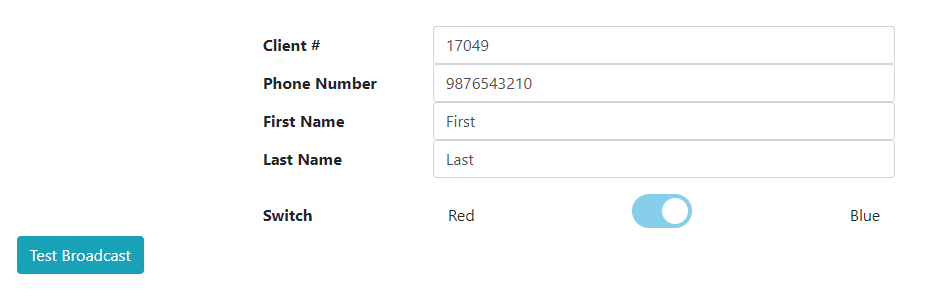
- Click Test Broadcast. A bubble appears on the clinic's machine.
Why bother
Because a bubble that appears is only half the test. With a real client number in it you can click Fetch it and see whether the application actually opens the PMS record, which is the part that depends on the extension, the popup style and the PMS integration all being right. It is also the way to check that blue bubbles reach a client, and to reproduce something specific a clinic is reporting about one particular call.